Securing a cloud account: the controls that actually matter
Cloud breaches are boring. Almost all of them come from a leaked credential, a missing second factor or an over permissive policy. Fixing those three covers most of the risk.

Cloud account security incidents are, with rare exceptions, unglamorous. Somebody committed an access key. Somebody reused a password on an account without a second factor. Somebody attached an administrative policy because the specific one was fiddly and never went back to fix it.
The controls that prevent this are small in number and the same on every platform.
The privileged identity
Every provider has an identity that cannot be restricted: the AWS root user, the Azure account owner, the Google Cloud billing administrator, the single login on a smaller provider. It exists to recover the account and to do the handful of things nothing else can.
Treat it as a break glass credential:
- Long, unique password in a password manager.
- Hardware security key where supported, an authenticator app otherwise.
- No access keys attached to it, ever.
- A contact email that somebody actually reads, and alternate contacts set.
- Documented recovery process, tested once so you know it works.
Then create separate identities for day to day work and leave the privileged one alone.
Credentials that expire beat credentials that do not
A long lived access key is a permanent password with no expiry, no session and no second factor. It sits in files, in environment variables, in CI configuration and eventually in a repository.
The fix is architectural rather than procedural:
- Inside the provider, use roles. An instance profile, a workload identity, a managed identity: whatever the platform calls it, the machine receives temporary credentials automatically and there is nothing to leak.
- For CI systems, use OpenID Connect federation. GitHub Actions, GitLab and most modern CI platforms can exchange a short lived token for cloud credentials with no stored key at all.
- For humans, use single sign on with short sessions rather than personal access keys.
- For the remainder, where an external system genuinely cannot federate, scope the key tightly, rotate it on a schedule, and record where it is used.
Run secret scanning on your repositories. Every major platform offers it and it catches the mistake before it becomes an incident.
Least privilege, done pragmatically
The counsel of perfection is to write a bespoke policy for every task. In practice, teams do that for a week and then attach an administrator policy under deadline pressure.
A workable middle path:
- Start from the provider’s managed job function policies rather than from a blank document. They are usually close enough.
- Separate environments at the account, subscription or project level. A compromise in staging should not reach production.
- Use the access analysis tooling each provider ships to find permissions granted but never used, then remove them.
- Never attach permissions to individuals. Use groups or roles, so removing somebody is one action.
- Review quarterly. Permissions accumulate; nothing removes them automatically.
Visibility
Audit logging is the control that costs almost nothing and is worthless if you switch it on after the incident. AWS CloudTrail, Azure activity logs and Google Cloud audit logs should all be enabled and delivered somewhere durable, ideally an account other than the one being logged.
Add the free or cheap detection services each provider offers, and alert on a small number of things you would genuinely act on: privileged identity sign in, policy changes granting administrative access, new access keys, and unusual spend. Alerting on everything means alerting on nothing.
Network and data
- Default to private. Databases and internal services should have no public address at all.
- Block public access to object storage at the account level, then grant exceptions deliberately.
- Encrypt at rest, which is generally on by default and worth confirming, and in transit, which is not always.
- Use security groups referencing other security groups rather than IP ranges, so the rules survive instance replacement. See AWS VPC networking basics.
Money is a security control
A compromised account is usually noticed as a bill rather than as an alert. Budget alerts at a threshold you would question are genuinely part of your detection stack, not just finance hygiene. Cryptocurrency mining on stolen credentials shows up as an unusual spend curve long before anything else flags it.
Cloud account security at smaller providers
DigitalOcean, Hetzner, Linode, UpCloud and the rest have simpler permission models, which means fewer controls and less to get wrong. The essentials still apply: multi factor authentication on the login, API tokens scoped and rotated, SSH keys rather than passwords, and no public database.
The AWS specific version of this checklist is in the first hour in a new AWS account.
Common questions
What causes most cloud account compromises?
Leaked long lived credentials, most often an access key committed to a repository, followed by accounts without multi factor authentication and over permissive policies that turn a small foothold into a large one.
Are SMS codes good enough for MFA?
They are much better than nothing and weaker than the alternatives, because SIM swapping is a real attack. An authenticator app is the practical minimum and a hardware security key is the strongest option.
How do I stop credentials leaking into git?
Use roles and short lived credentials wherever the workload runs inside the provider, keep secrets in a secret manager, and run automated secret scanning on every push.

AccountMarket Editorial
Written and maintained by the team behind accountmarket.org. We publish practical notes on the cloud platforms we work with every day, and we update articles when the platforms or our catalogue change.
Accounts covered in this article
Live options and pricing from the catalogue.
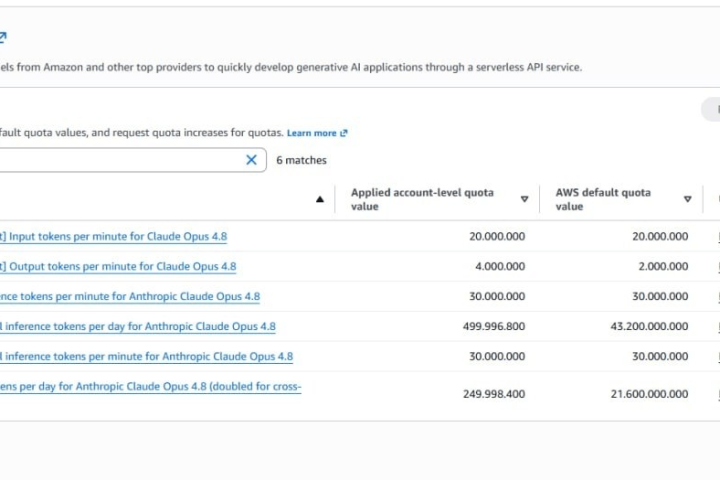
Buy Amazon AWS Account
Amazon Web Services accounts with preloaded credits and root access, including Bedrock ready options across twenty plan tiers.
From $20.00
Buy Microsoft Azure Account
Azure subscriptions with credits and full portal access, covering tenants, resource groups and the quotas that matter before you deploy.
From $25.00
Buy Google Cloud Account
Google Cloud Platform accounts with preloaded credits and console access, sized for everything from a first project to production workloads.
From $60.00
Keep reading

AWS
Amazon Bedrock explained: model access, quotas and what RPM really limits
Bedrock throughput is governed by requests and tokens per minute, per model and per region. Here is how those limits interact, and why two accounts with the same plan behave differently.

Email and Workspace
Outbound port 25 on cloud servers, and what providers allow
Almost every cloud provider blocks outbound SMTP on new accounts. Here is why, what each one does about it, and how to decide whether you need it lifted at all.

AWS
AWS vCPU quotas explained, and why your instance launch fails
VcpuLimitExceeded is the most common wall a new AWS account hits. Here is how the quota system is grouped, how to read your real limit, and how to get it raised.