Moving a workload between cloud providers without a rewrite
Most migrations fail on the parts nobody listed: DNS, secrets, egress bills and the managed service with no equivalent. Here is the order that works.

A cloud migration rarely fails on the compute. Servers are servers, and moving a container from one provider to another is a well understood problem. They fail on the things nobody put on the list: the managed queue with no equivalent, the secret hard coded in an old deployment script, the DNS record with a 24 hour time to live, and an egress bill nobody forecast.
This is the order of work that avoids most of that.
1. Inventory what you actually have
Not what the architecture diagram says. What is running.
- Every compute resource, with its size and its actual utilisation.
- Every managed service, with the specific features you depend on.
- Every data store, with its size and its growth rate.
- Every scheduled job, including the ones on a machine somebody set up two years ago.
- Every external integration, in both directions.
- Every DNS record, certificate and their renewal mechanisms.
- Every credential and where it is stored.
The last three are where migrations quietly break. A webhook pointed at a static IP address, a certificate renewed by a cron job on a server you are about to delete, a database password only present in an environment variable on a running instance.
2. Find the managed services with no equivalent
This determines the size of the project. Sort your dependencies into three groups:
Portable. Virtual machines, containers, object storage behind an S3 compatible API, PostgreSQL, MySQL, Redis compatible caches. These exist everywhere and move with configuration changes rather than code changes.
Replaceable with effort. Managed Kubernetes, load balancers, DNS, CDN, monitoring. Every provider has these; they differ in configuration, and moving means rewriting infrastructure code but not application code.
Genuinely proprietary. Serverless functions with provider specific triggers, managed data warehouses, provider specific queues and event buses, identity services, machine learning platforms. These require either an application change or a decision to leave them where they are.
A hybrid outcome is legitimate. Plenty of teams run compute at a cheap provider and keep one proprietary service where it is, connected over the internet. That is a design choice, not a failure.
3. Set up the destination properly
Resist the temptation to click through it. Build the target with infrastructure as code from the start, even if the source environment was built by hand. You are going to build this environment more than once during testing, and the second build should be free.
Then do the account setup work before anything else: identity, multi factor authentication, budget alerts, and a check on quotas in the destination region. New accounts start with conservative limits, and finding that out during cutover is avoidable. The checklist is in securing a cloud account.
4. Move the data first, and keep it moving
Data is the slow part and the risky part.
- Object storage. Sync in bulk, then run incremental syncs until cutover. S3 compatible APIs make this straightforward between most providers.
- Databases. Set up replication from the source to the destination rather than doing a dump and restore at cutover. A replica that has been in sync for a week reduces the cutover to a promotion.
- File systems. Incremental sync tools, run repeatedly, with a final pass during the window.
Verify by comparison rather than by assumption. Row counts, checksums, object counts. A migration that silently loses five percent of a table is worse than one that fails loudly.
5. Run both, then shift traffic
The safe cutover sequence:
- Lower DNS time to live values to a few minutes, at least 48 hours in advance.
- Deploy the application to the destination and test it against the replicated data.
- Move a small share of traffic, either by weighted DNS or at the load balancer.
- Watch error rates and latency for long enough to see a pattern, not just a moment.
- Increase the share gradually.
- Once traffic is fully shifted and stable, promote the destination database to primary and stop writing to the source.
- Keep the source environment running, and paid for, for at least a week.
That last point is the one people skip to save money, and it is the one that saves the project when something surfaces on day three.
6. Decommission deliberately
Take a final backup and store it somewhere unrelated to either environment. Then remove resources in an order that leaves you able to reverse: application servers first, load balancers next, data stores last. Cancel commitments and reservations that no longer apply, and check for the orphans that always remain, unattached volumes, idle addresses, forgotten snapshots.
Making the next cloud migration easier
If portability matters to you, the choices are known and none of them are exotic: containers over provider specific runtimes, PostgreSQL over proprietary databases, S3 compatible object storage, infrastructure as code for everything, and configuration in the environment rather than in the platform.
That does not mean avoiding managed services. It means knowing which ones you are choosing to depend on, and what it would cost to leave. The comparison articles are useful here: Hetzner vs DigitalOcean and AWS vs Google Cloud both discuss where the lock in actually lives.
Common questions
What usually makes a cloud migration expensive?
Egress charges on the data you move, engineering time replacing managed services that have no equivalent, and the parallel running period where you pay for both environments.
Should I lift and shift or refactor?
Lift and shift first, refactor afterwards. Doing both at once means that when something breaks you cannot tell which change caused it.
How do I cut over without downtime?
Run both environments in parallel, replicate data continuously, lower DNS TTLs well in advance, then shift traffic gradually with the ability to move it back.

AccountMarket Editorial
Written and maintained by the team behind accountmarket.org. We publish practical notes on the cloud platforms we work with every day, and we update articles when the platforms or our catalogue change.
Accounts covered in this article
Live options and pricing from the catalogue.
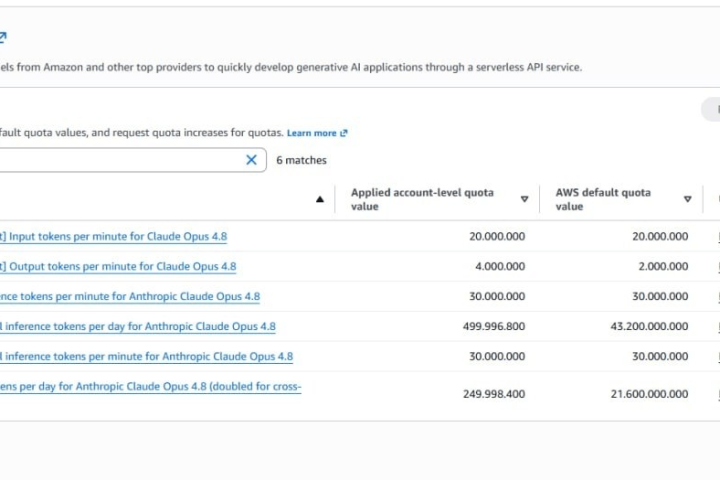
Buy Amazon AWS Account
Amazon Web Services accounts with preloaded credits and root access, including Bedrock ready options across twenty plan tiers.
From $20.00
Buy Hetzner Account
Hetzner Cloud accounts for European deployments, with server limits, included traffic and location coverage explained before you order.
From $50.00

Buy DigitalOcean Account
DigitalOcean accounts ready for droplet deployment, with the account droplet limit and SMTP policy explained up front.
From $25.00
Keep reading

AWS
Amazon Bedrock explained: model access, quotas and what RPM really limits
Bedrock throughput is governed by requests and tokens per minute, per model and per region. Here is how those limits interact, and why two accounts with the same plan behave differently.

Email and Workspace
Outbound port 25 on cloud servers, and what providers allow
Almost every cloud provider blocks outbound SMTP on new accounts. Here is why, what each one does about it, and how to decide whether you need it lifted at all.

AWS
AWS vCPU quotas explained, and why your instance launch fails
VcpuLimitExceeded is the most common wall a new AWS account hits. Here is how the quota system is grouped, how to read your real limit, and how to get it raised.